Vigil Ai Companion
Vigil is an AI-powered knowledge assistant designed to support operators within a Global Security Operations Centre (GSOC). It enables operators to retrieve operational knowledge quickly through natural language queries rather than manually searching across multiple systems.
By combining information from standard operating procedures (SOPs), incident records and security device data, Vigil provides timely, contextual responses that help operators make informed decisions during both routine monitoring and live security incidents. The concept focuses on reducing cognitive load, improving response times, and enhancing situational awareness by delivering relevant information when it is needed most.
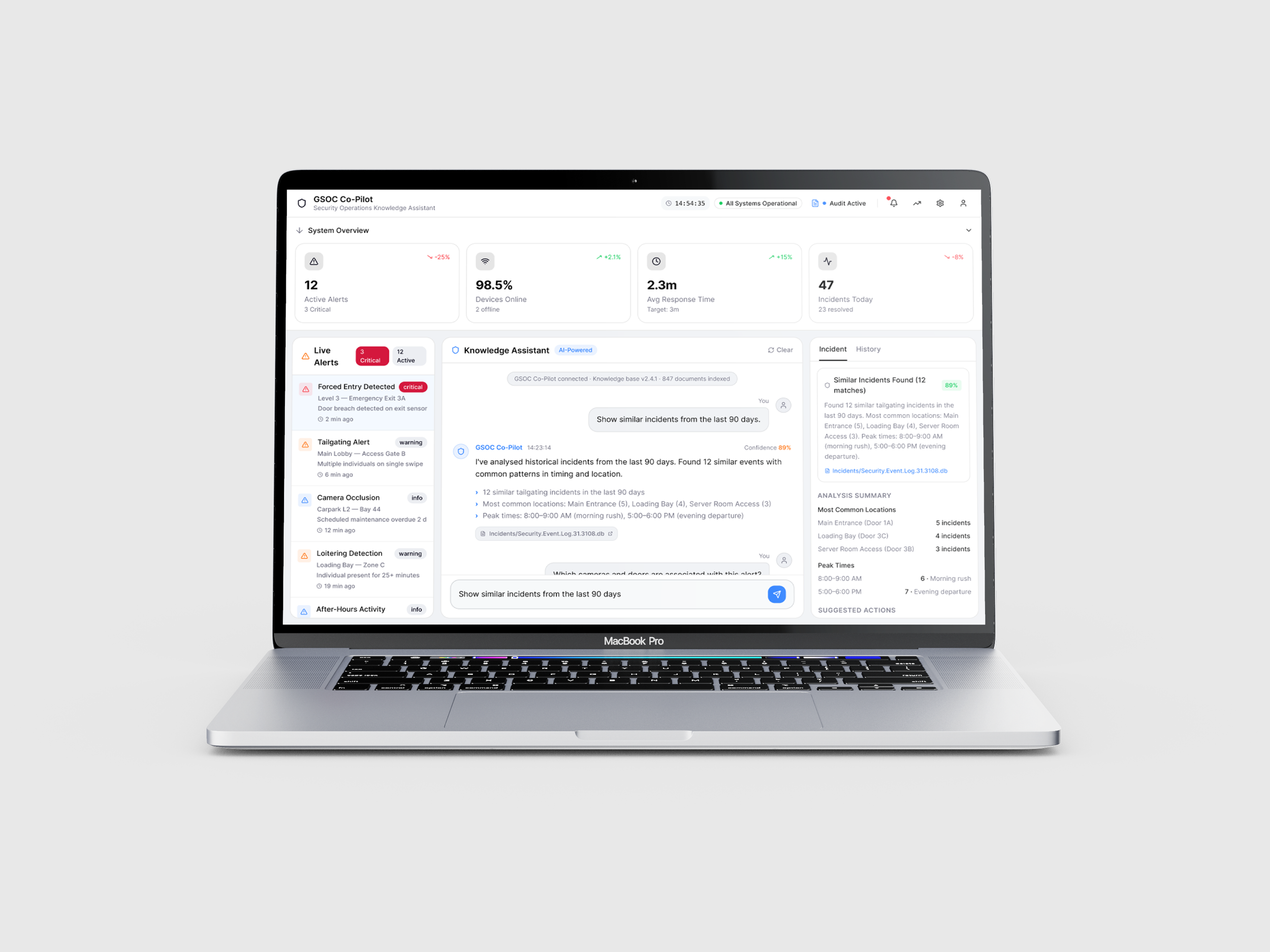
The Problem
Security Operations Centres (GSOCs) rely on operators to make rapid, informed decisions using information spread across multiple sources such as standard operating procedures (SOPs), incident records and security device data. However, quickly locating the right information can be difficult and time consuming as they must search across separate systems during time critical situations such as live incidents.
Operators require a solution where they can instantly access relevant SOPs, identify camera and door relationships, retrieve similar historical incidents and view contextual information.
Research & Discovery
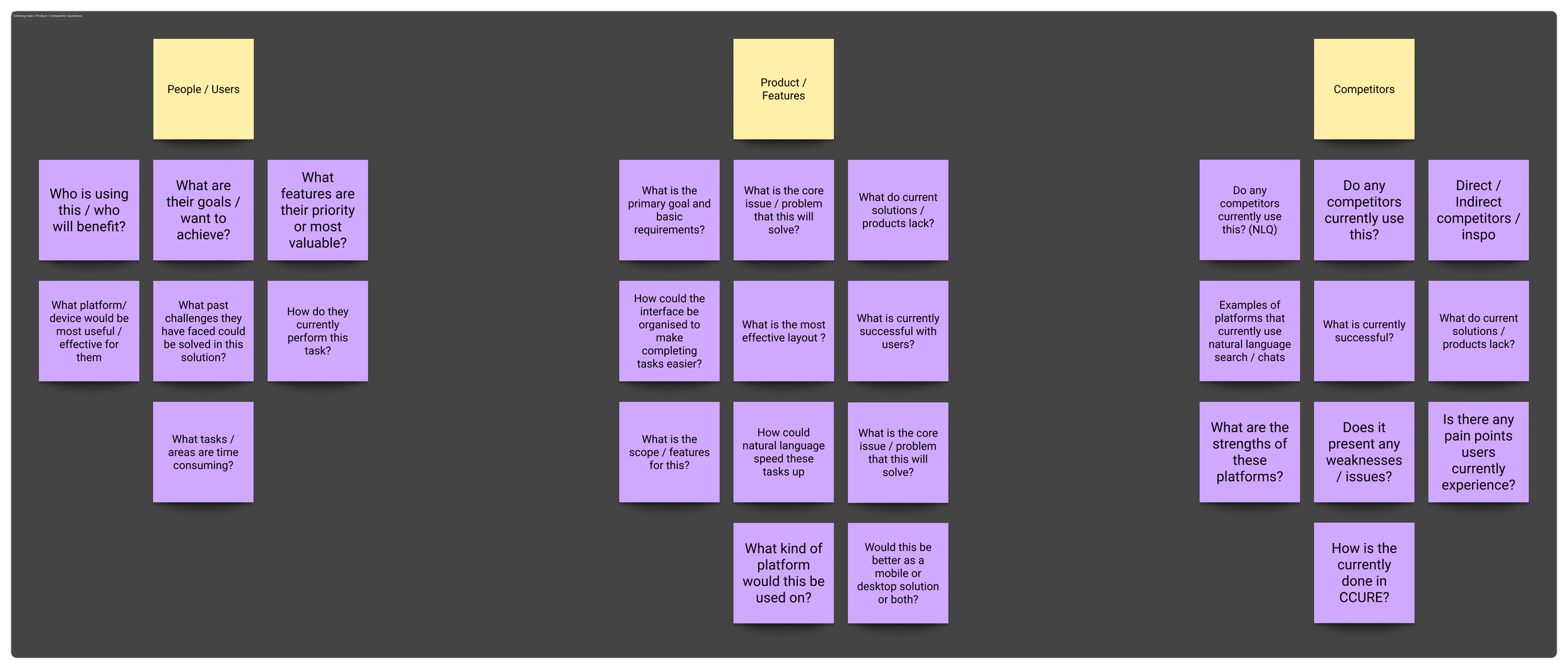
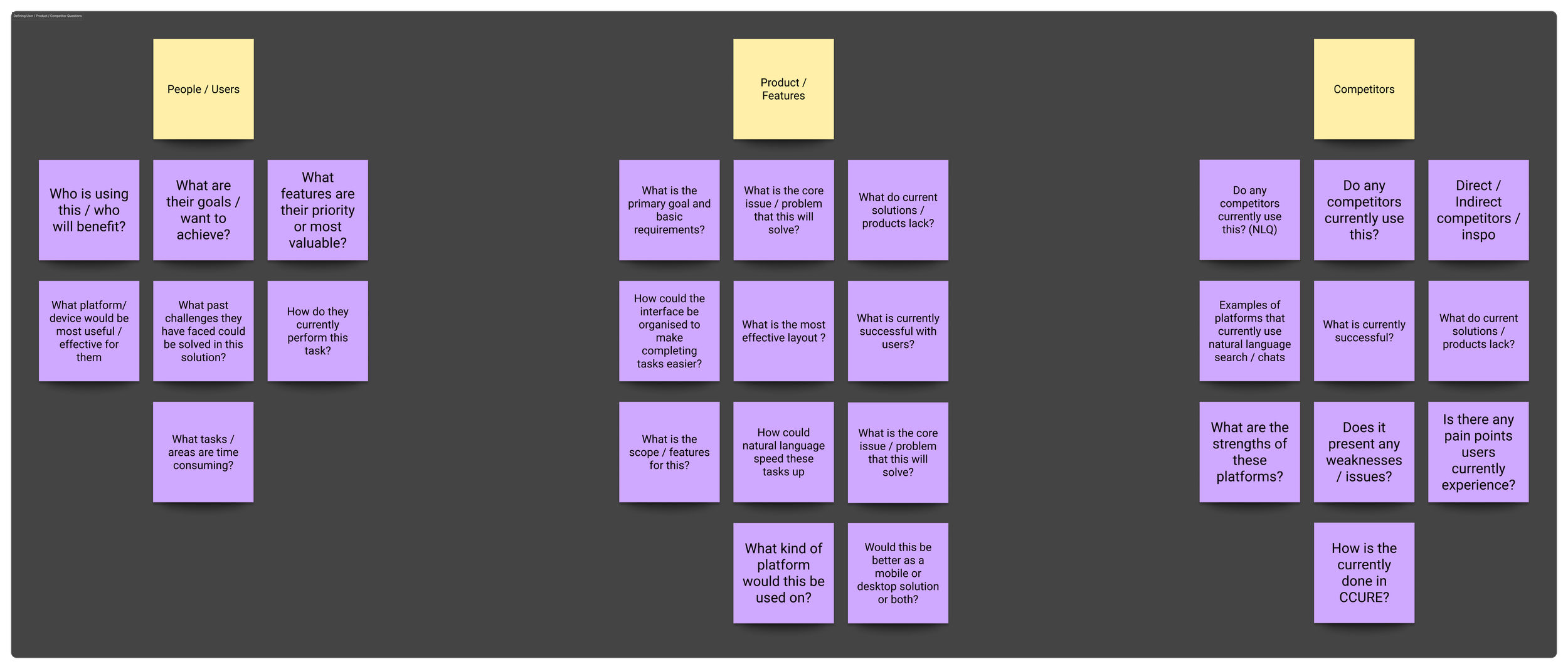
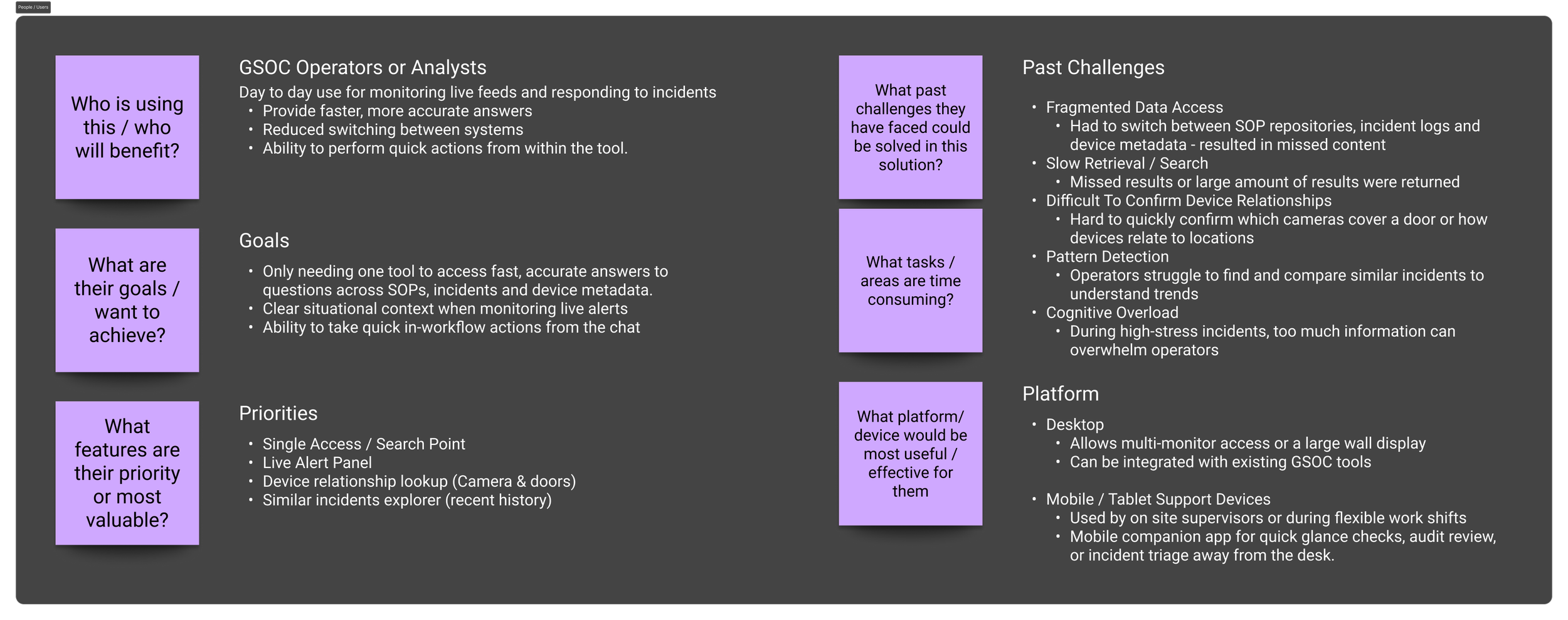
I began by conducting some research with the goal to better understand the problem space before considering potential solutions. I defined a list of key questions I wanted to answer and organised them into four areas: understanding the users, defining product requirements, analysing competitors and identifying user needs and pain points.
I started by familiarising myself with the operational environment allowing me to further understand how GSOCs function, the purpose of Standard Operating Procedures and the responsibilities of security operators. This research revealed the challenges operators face while monitoring the live surveillance of events and quickly responding to incidents as their information is spread across multiple systems, requiring them to swap across SOP repositories, incident management tools and device databases while under significant time pressure.
To better understand these challenges, I explored questions such as who are the primary users? What are they trying to achieve? Which tasks or features are priority to them? What are past challenges they faced? These questions helped uncover several recurring issues including fragmented data access, slow information retrieval, difficulty locating relationships between security devices and increased cognitive load during high-pressure situations.
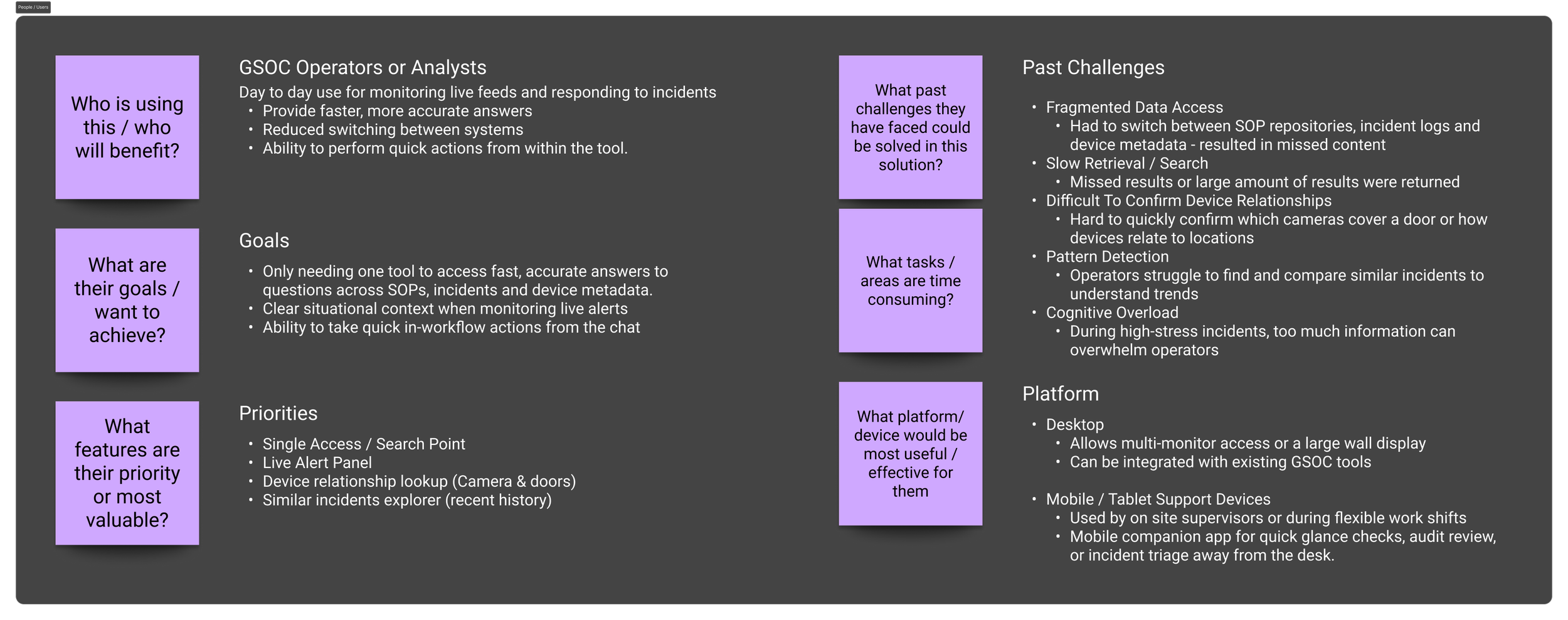
Defining Users & Their Needs
Once I had established an understanding of the users and their environment, I translated my findings into a set of user needs and product objectives. The research highlighted that operators required a single point of access for operational knowledge with a fast, intuitive natural language search and accurate responses backed by trusted sources. They also needed the ability to access similar historical incidents, contextual information alongside live alerts and clear visibility of the relationships between cameras, doors and other security devices to improve situational awareness and decision-making.
Alongside these user needs, I identified organisational objectives that aligned with the wider business goals. These included reducing incident response times, improving consistency by encouraging the use of standard operating procedures, increasing operational efficiency and supporting continuous improvement and insight through access to historical incidents and audit trails. By outlining both the user and business objectives, it helped me ensure that the proposed solution delivered value to both operators and the organisation.
Competitor Analysis
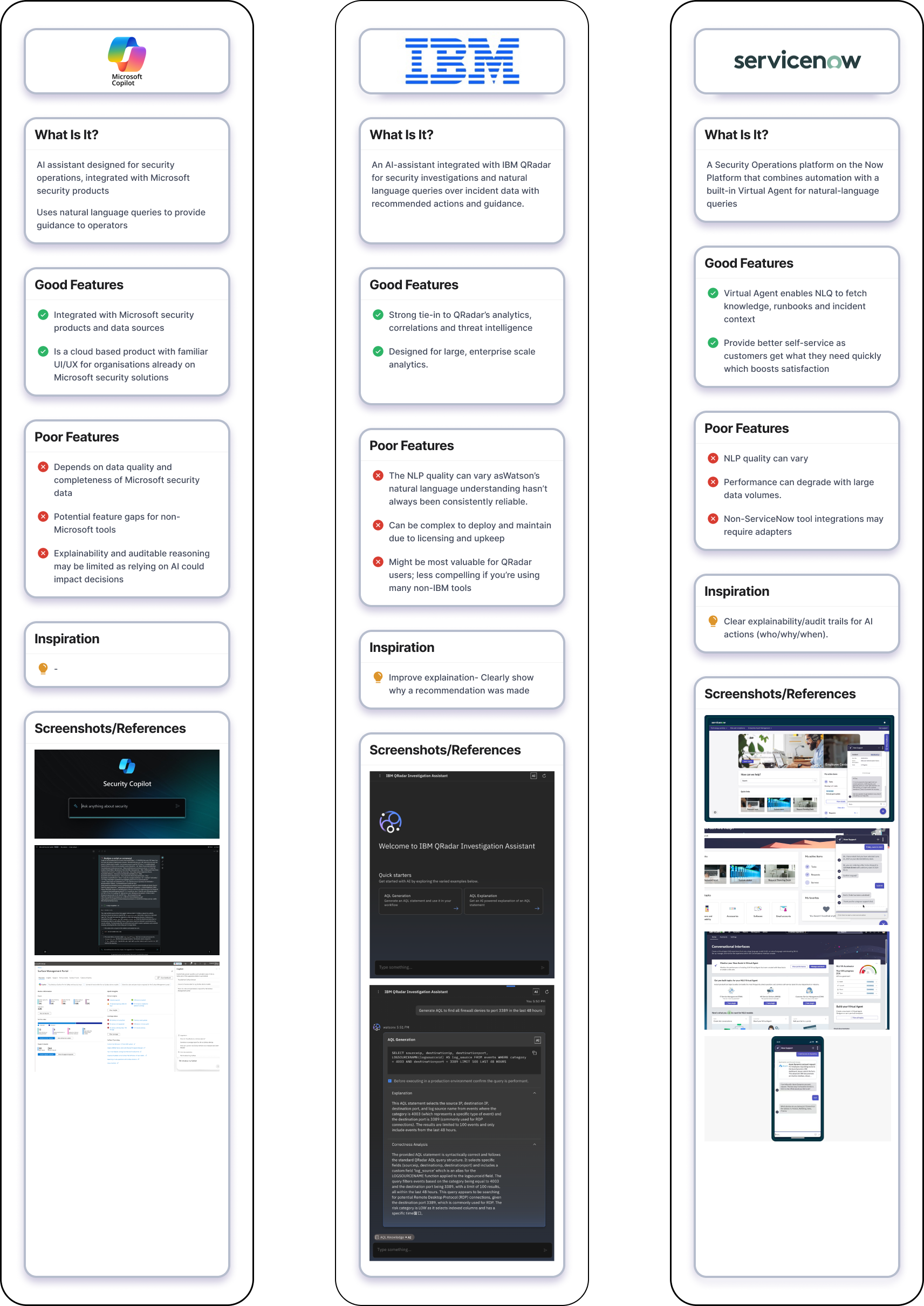
With a clearer understanding of both the users and the product requirements, I explored the existing market to understand how similar products addressed these challenges.
I evaluated competitors features and user experiences, focusing on questions such as whether they offered AI-powered knowledge assistants and how they implemented conversational or natural language search. I also identified which features were coming industry standard as well as their strengths, weaknesses and any opportunities to differentiate from competitors.
By analysing competitors, it allowed me to identify opportunities for differentiation such as while many platforms offered powerful search capabilities, they often still required operators to navigate multiple interfaces or lacked the contextual information for real time decision making. These insights reinforced the opportunity to design an AI-powered co-pilot that centralises operational knowledge, reduces information retrieval time and provides contextual, trustworthy responses within a single workflow.
I translated my research and discovery findings into user flows and information architecture diagrams to define how operators would interact with the knowledge assistant. This helps me to understand the different types of queries users would make, the information they would expect to receive and how that information should be structured to support fast decision-making during live incidents.
Flows & Information Architecture
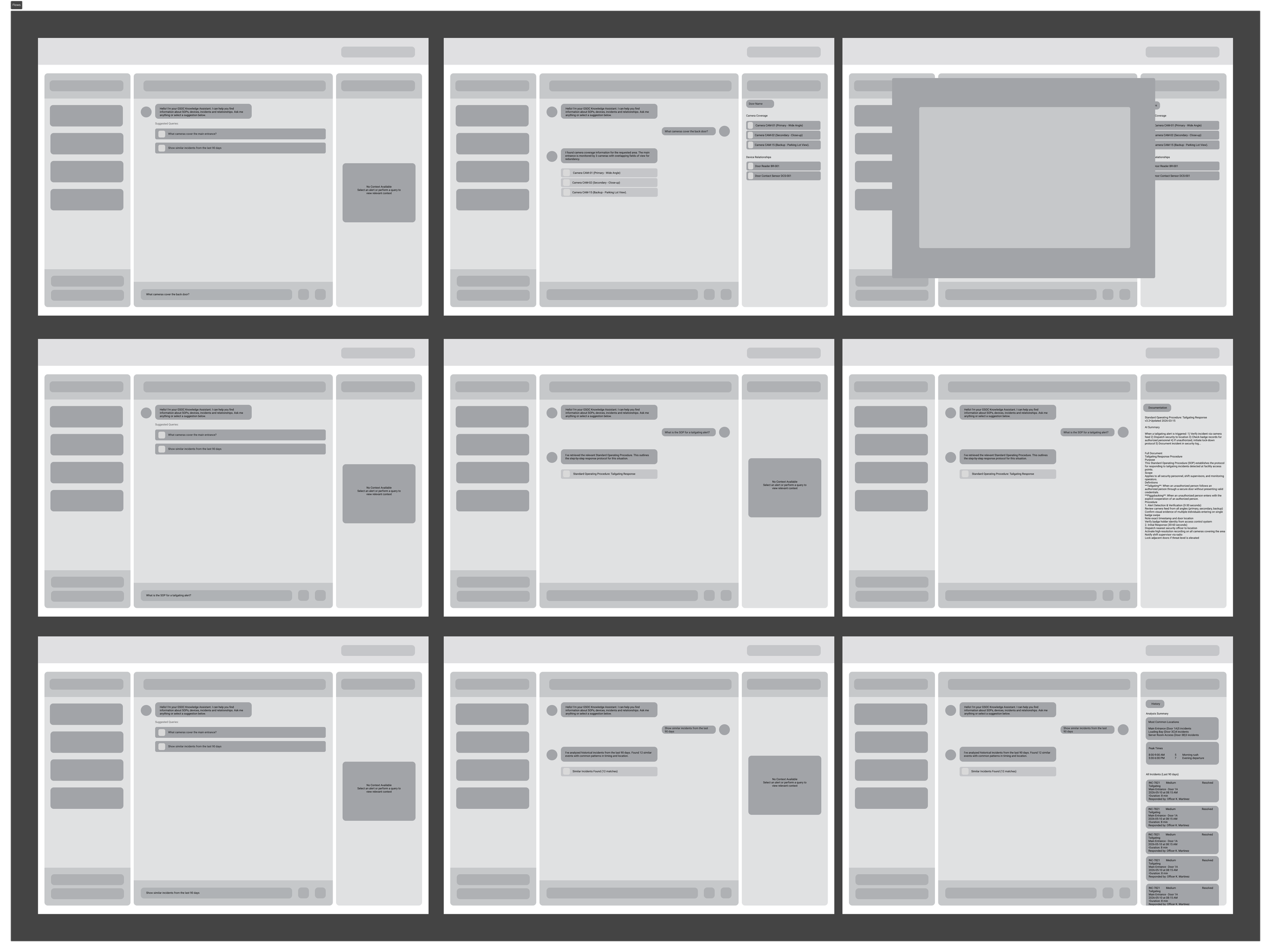
This allowed me to define the 4 main searches a user would make:
SOP Search – retrieving a standard operating procedures through natural language queries. eg: What is the SOP for a Tailgate Alert?
Device Coverage – identifying which cameras or security devices monitor a specific location. eg: What devices cover the main entrance?
Device Relationships – understanding which security devices such cameras and access controlled doors are connected. eg: What devices in door 1 integrated with?
Similar Incident Search – retrieving historical incidents to provide context and support decision making during ongoing events. eg: show similar incidents from the last 90 days
For each search, I mapped the flow from the user's initial query through to the information returned by the system. This helped me to identify the content required at each stage of the interaction and ensured users would receive enough contextual information to act confidently without needing to search elsewhere.
For example, A device coverage search returns not only the cameras monitoring a location but also additional contextual information such as the building, floor, device ID, zone, camera status, and coverage type. By mapping these flows early, I was able to outline the information required for each interaction before beginning interface design.

Concept Development
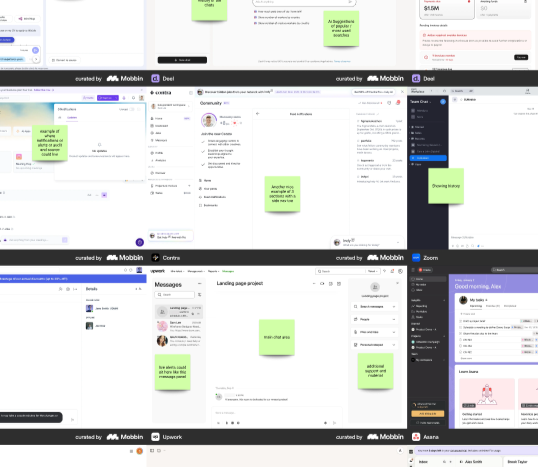
At this stage, my focus shifted from defining what the product needed to do to exploring how those features could be presented through an intuitive and efficient user interface.To start to generate some ideas, I researched existing applications, AI assistants and dashboard interfaces to identify how similar products structured their information and the common successful design patterns among them all.
Rather than just collecting screenshots, I annotated each interface to analyse the design decisions behind it and identify patterns that could be applied to Vigil. I noted what worked well, what I liked and why certain elements would be effective for GSOC operators such as clear information hierarchy, prominent AI search, contextual side panels, suggested prompts and integrated search history.
This helped me identify successful design patterns and make a more informed decision about my own layouts, based on both research and industry best practices.
From here, I began creating a series of low-fidelity wireframes to explore different ways the interface could be organised. I experimented with the placement of key components including the natural language search, live alerts, context panels, device relationships, SOPs, incident history and audit logs to compare alternative layouts and identify the most intuitive workflow.
Through this iterative process, I refined the strongest ideas into a single design. Exploring multiple concepts before moving into high-fidelity designs allowed me to validate the product's structure and ensure the final interface was driven by usability and the needs identified during research.
Once I had developed a series of low-fidelity wireframes, I combined them with detailed prompts describing the intended layout, functionality, visual style and user experience. Using Figma Make, I generated initial interface concepts based on my designs, allowing me to quickly transform my ideas into visual designs, explore different approaches and iterate on the overall direction of the product.
Final Concept
While this is still an early concept, it demonstrates that although AI can’t replace the creative process, it can act as a tool that accelerated ideation, helping me refine layouts, experiment with visuals and evolve my concepts before progressing to high-fidelity designs.